





How to Withdraw Money from PayPal in Venezuela 2026

Cristina Rodriguez

April, 06, 2026

3 min
Picture this scenario: you’ve just completed an incredible freelance project, the client is super happy, and they just sent your payment to your PayPal account. You feel great for a few seconds… until you remember you’re in Venezuela and withdrawing that money isn’t as simple as it should be.
If this scene sounds familiar, you’re not alone. Thousands of Venezuelans face this same challenge every day: having money in PayPal but not being able to access it easily. The good news is that in 2026, there are several practical alternatives to convert your PayPal balance into money you can actually use.
Why Is It Complicated to Withdraw from PayPal in Venezuela?
PayPal doesn’t allow direct transfers to Venezuelan bank accounts. At least not as easy as other Latin American countries.
It’s not a bug, it’s not temporary. It’s a structural restriction that’s been in place for years and shows no signs of changing. So if you work with international clients who pay you through PayPal — or if you receive remittances, sell on marketplaces, whatever — your money stays “trapped” there until you find the right way out.
The way out exists. It’s called Airtm.
What Airtm Is and Why It Works for This
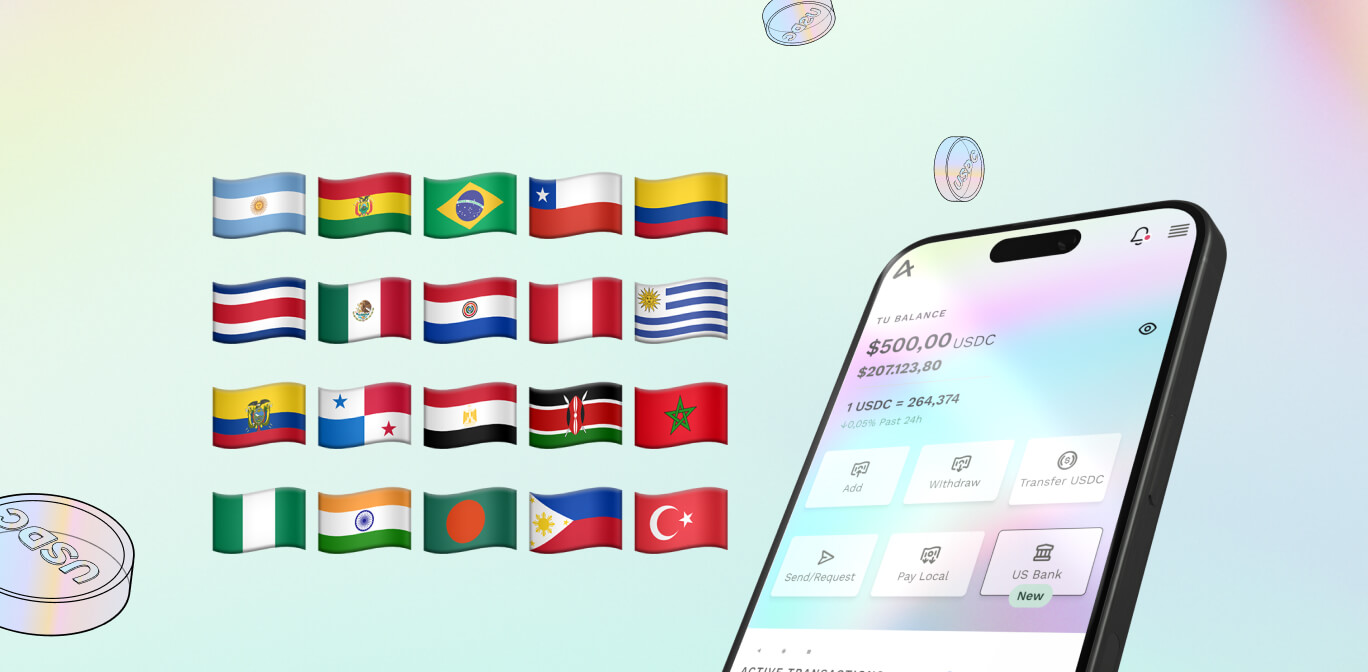
Airtm is a global wallet. Not a bank, not a fintech company with Silicon Valley jargon. A digital wallet that lets you receive dollars from PayPal (and many other sites), convert them to USDC within your account, and then withdraw them to your local bank, in cash, to other digital wallets, or in crypto.
It operates on direct systems and a P2P system: there are “cashiers” (verified users on the platform) who exchange with you in real time. You send from PayPal (or your chosen option), they confirm, and the balance appears in your Airtm account. From there, you withdraw as you wish.
The process has fees (which we’ll discuss below), but it’s transparent. Before confirming any transaction, Airtm shows you exactly how much you’ll receive.
The Step-by-Step Process — What Actually Happens
This isn’t a generic overview. It’s the real flow, with the details most guides leave out.
Step 1: Open the app and tap “Add” Open your Airtm account from your phone. On the main screen, tap the Add button. It’ll ask what payment method you want to use.
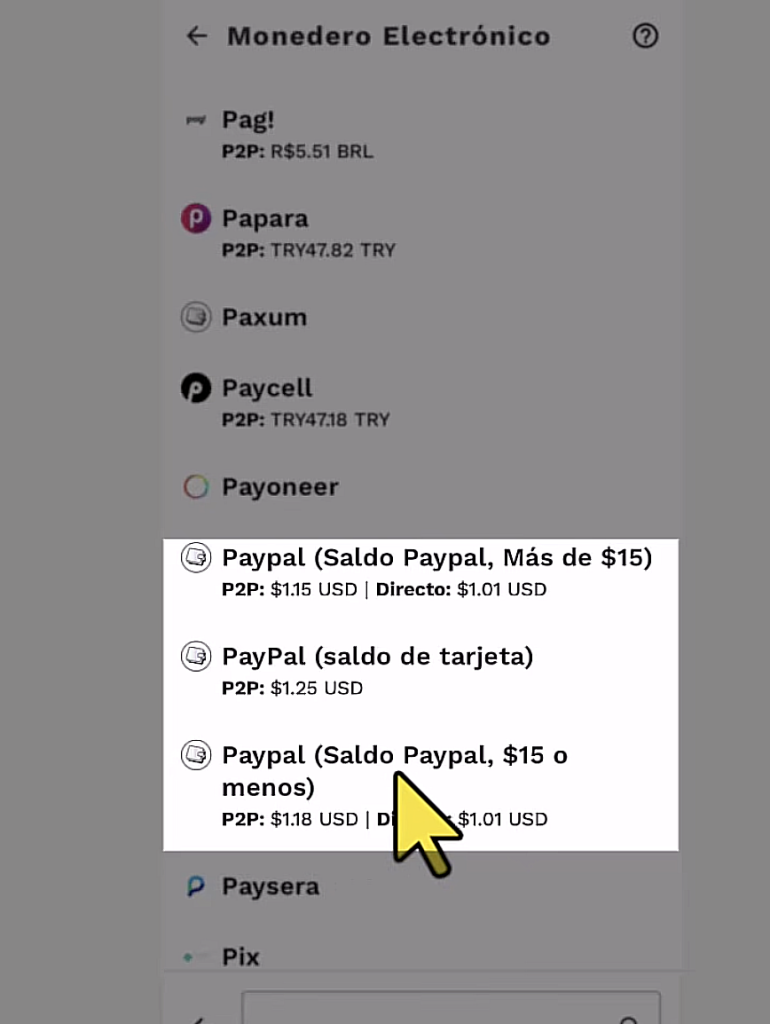
Step 2: Select PayPal You can search for it directly or filter by “E-wallet” and scroll until you find it. You’ll see a few options: PayPal balance $1 or more, PayPal balance $15 or less, PayPal over $15. Pick the one that matches your amount.
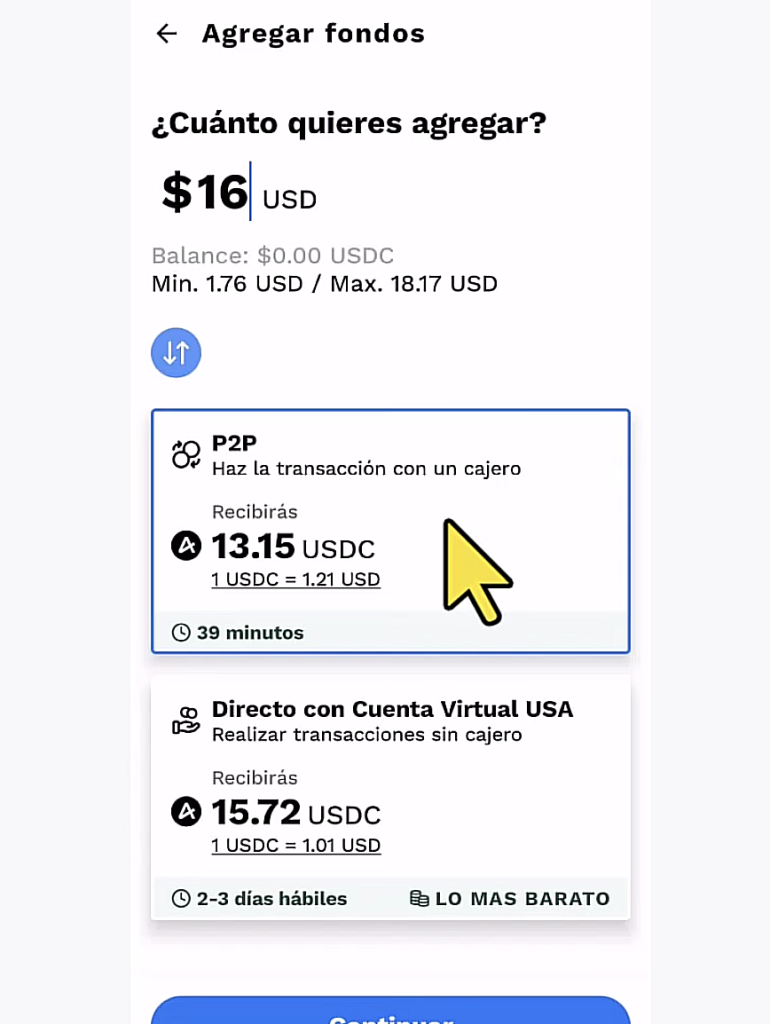
Step 3: Enter the amount and check the rate Enter how much you want to send. Airtm instantly shows you how much USDC you’ll receive after fees. For example: if you send $16, you might receive around $13.15 USDC, with a net exchange rate of ~1.21. Rates vary, so always review before confirming.
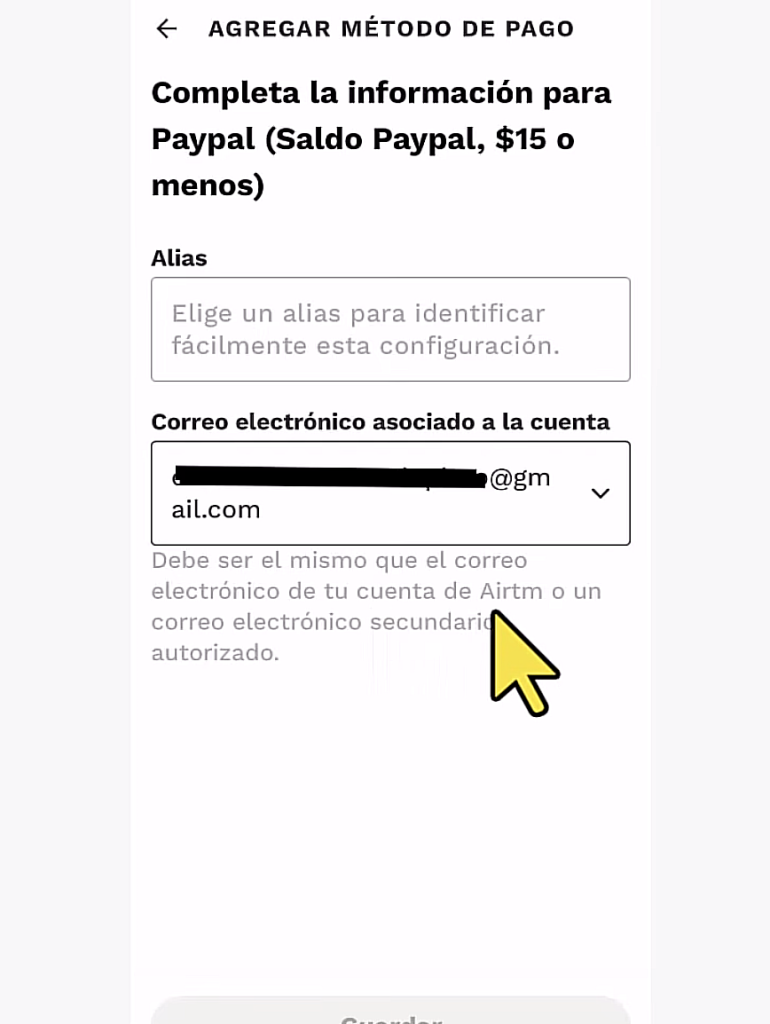
Step 4: Set up your payment method If it’s your first time, it’ll ask you to add your PayPal account. The email you enter has to be the same one registered with PayPal. You can add a nickname to identify it easily. Save and you’re done.
Step 5: Tap “Continue” and wait for your cashier Airtm automatically finds an available cashier. This can take a few minutes. Once one is assigned, you can see their full profile: how long they’ve been active, their country, their rating, and how many transactions they’ve completed. Five stars and thousands of transactions is a good sign.
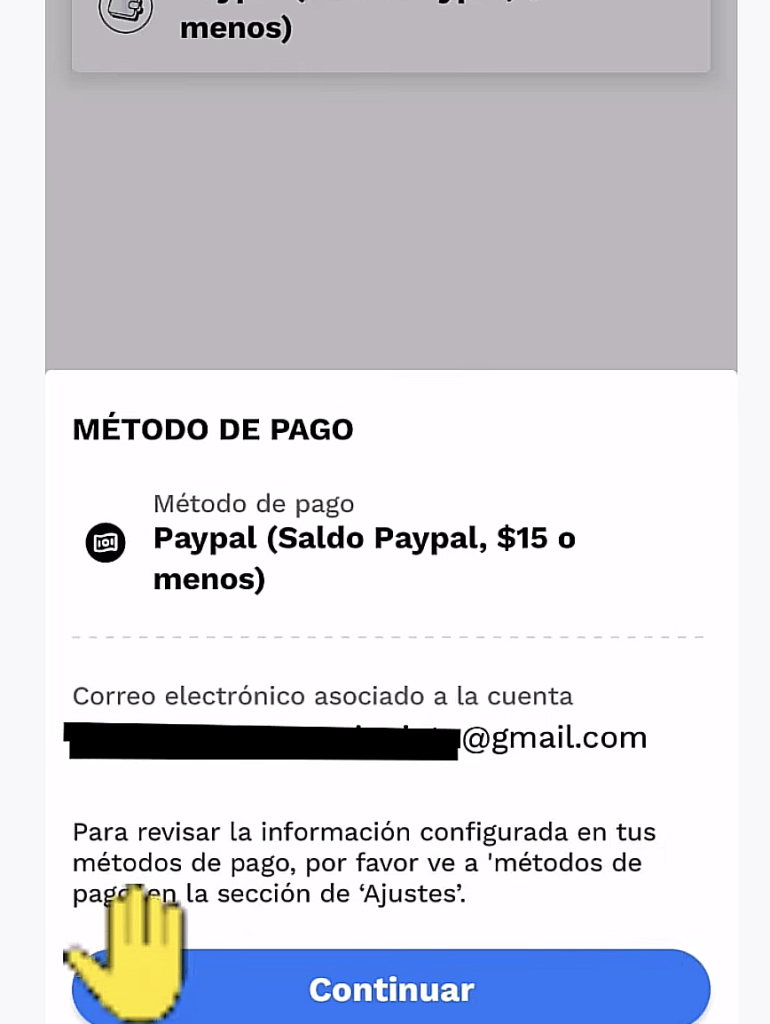
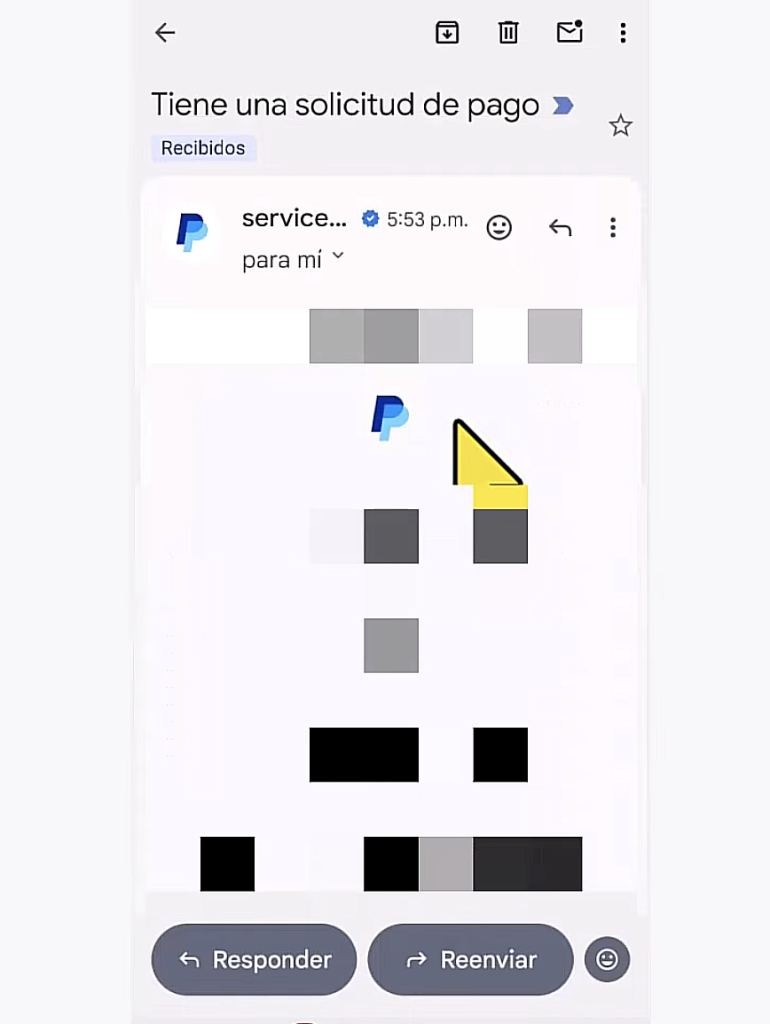
Step 6: The cashier sends you a payment request by email This is the part that trips most people up: the cashier will send you a payment request directly through PayPal, to your email. Check your inbox — it should arrive at the email linked to your PayPal account. The request will show the exact amount you agreed on.
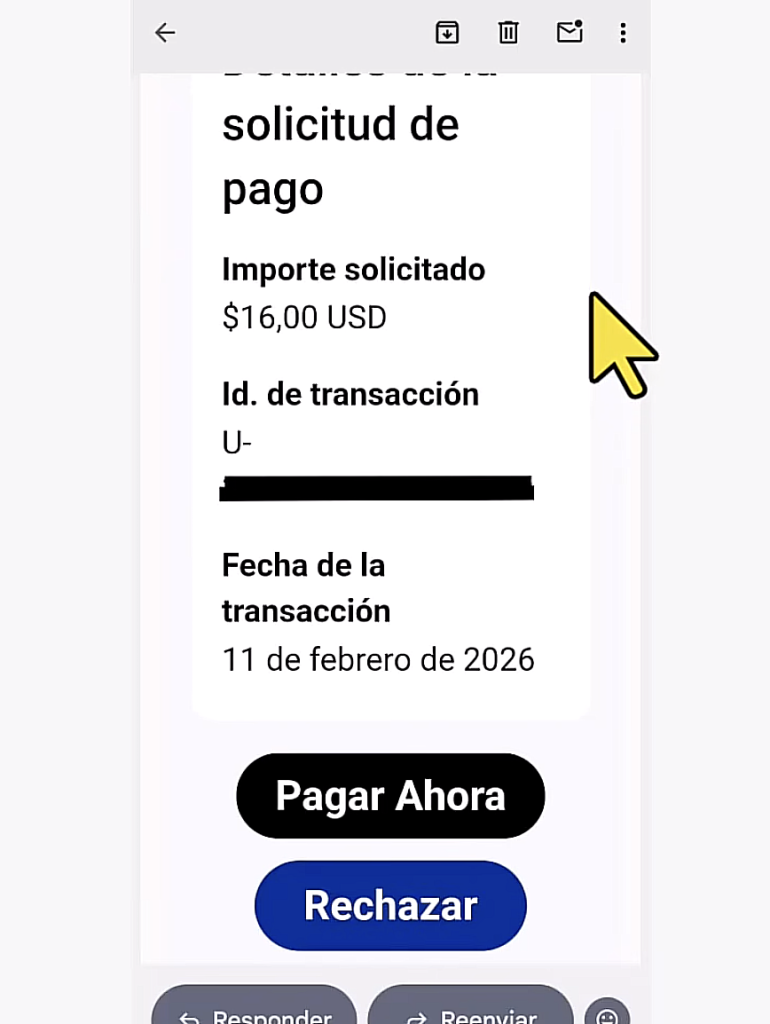
Open the email, tap “Pay Now”, review the amount, and confirm the payment.
Step 7: Copy your PayPal transaction reference number After paying, PayPal sends you a confirmation email with the transaction reference number. Copy it.
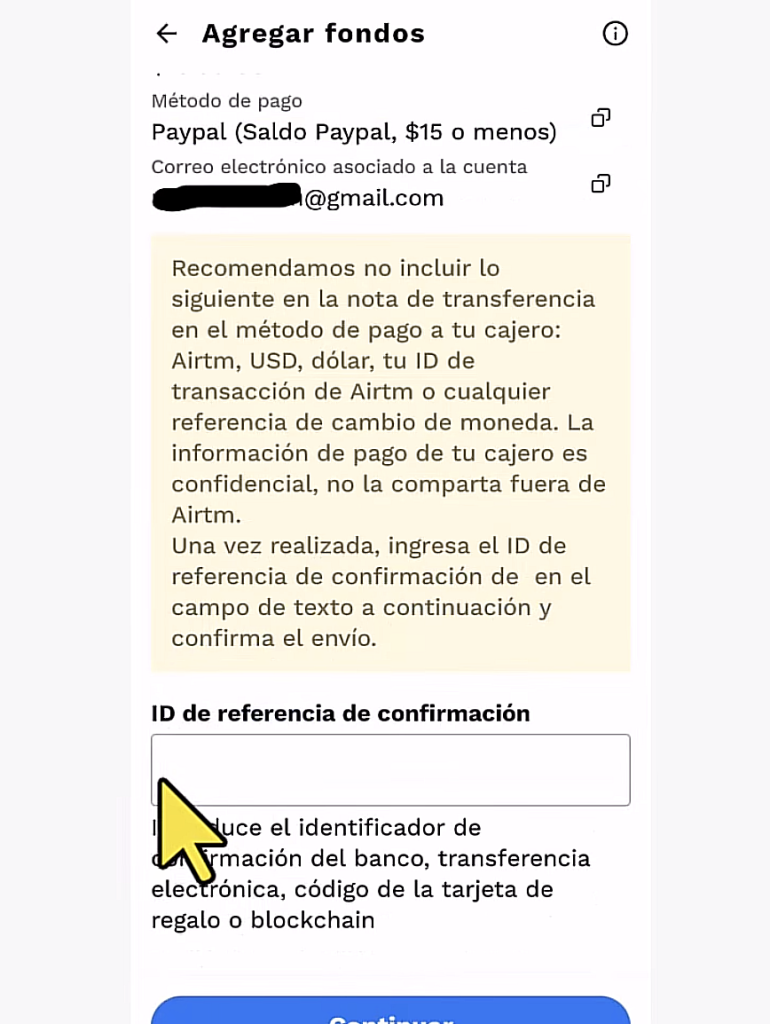
Step 8: Paste the reference into Airtm and confirm Go back to the app, paste the reference number into the corresponding field, and slide to confirm that you sent the funds. From there, the cashier verifies receipt of the payment.
Step 9: Wait for the cashier’s confirmation The cashier confirms they received the $16 from PayPal and releases the USDC into your Airtm account. You can chat with them inside the app if you need to coordinate anything — for example, if they ask you to forward the payment receipt with the subject line “I received the service, I’m satisfied.” Not all of them ask for this, but some do.
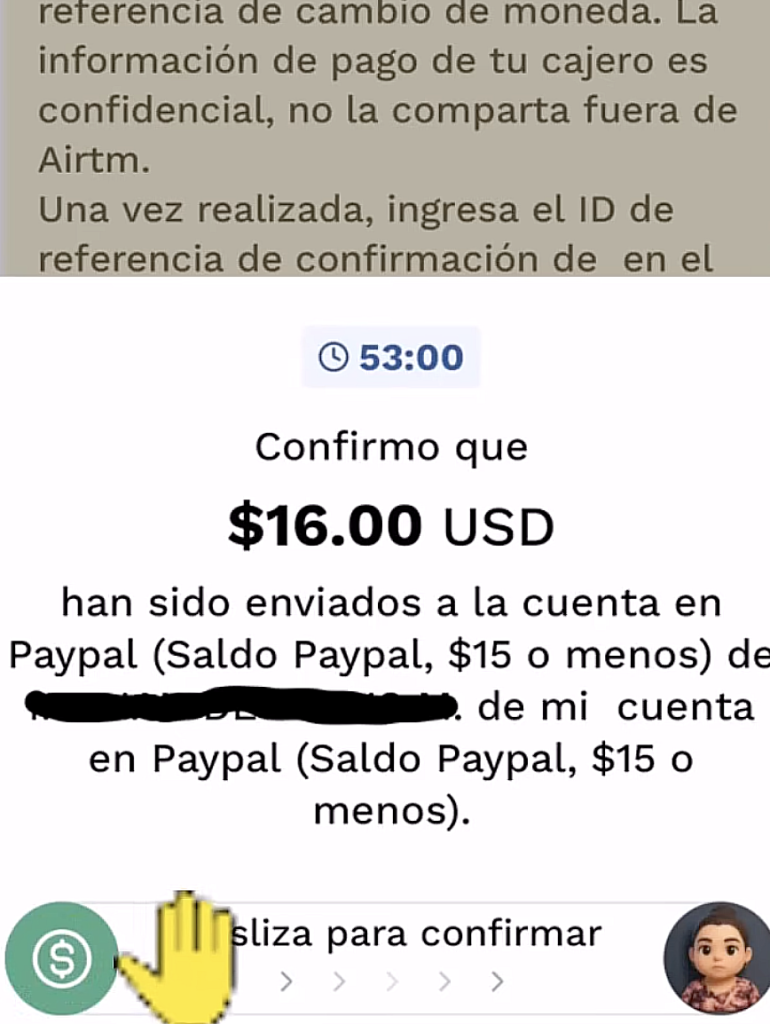
Step 10: Rate and you’re done Once everything closes, you rate the cashier (5 stars if it went well) and they rate you. Your balance is now in your Airtm wallet as USDC, ready to withdraw.
UPDATED VIDEO TUTORIAL 2026
From Airtm to Your Local Bank
Once you have USDC in your Airtm wallet, withdrawing to your Venezuelan bank works similarly — either direct or P2P process where a local cashier pays you in bolívares or dollars in exchange for your USDC. Withdrawal options depend on your country and the method you choose: bank transfer, mobile payment, cash, Zelle, and others.
The entire process — both loading from PayPal and withdrawing — gets tracked through email notifications and phone alerts. You always have a record of every step.
Things You Should Know Going In
This works well, but it’s not magic:
- The cashier might take a while. If they don’t accept your request within the allotted time, the transaction cancels automatically and your money doesn’t move. You can try again with a different cashier.
- Choose cashiers with history. Don’t use new or unrated cashiers for your first transaction. The system shows their full profile — use it.
- Never share your password. The only information a cashier needs is your PayPal email. If anyone asks for more than that, something’s wrong.
- Start small. If you’ve never used Airtm before, run a test with $10–$15 before moving larger amounts. Please note that transactions are time-limited to protect both parties, you and our cashier.
Is it worth it?
Having money in PayPal in Venezuela doesn’t have to be a headache. With the right tools and a little know-how, you can turn your digital work into the money you need for your daily life.
Airtm exists precisely to eliminate these financial barriers. Whether you’re a graphic designer, a programmer, an online seller, or simply someone who receives money from abroad, you deserve easy and secure access to your own money.
The digital economy has no borders, and neither should your finances. With the right options, you can take full control of your digital income and build the financial stability you deserve.
Ready to convert your PayPal balance into real money? Your next successful withdrawal is just a few clicks away. Start using Airtm and unlock its full potential.